

Avinash Vagh
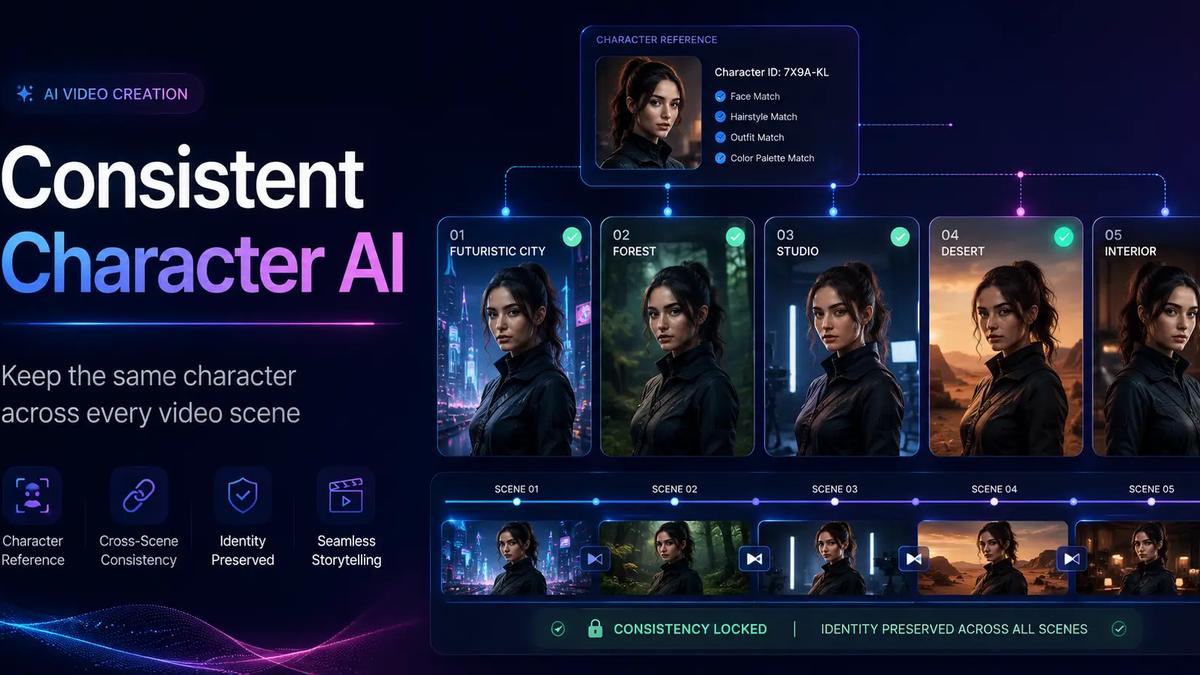
One broken face can ruin the whole story.
That is the problem consistent character AI is built to solve. A character may look perfect in the opening shot, then return with a different hairstyle, face shape, outfit, age, or body type two scenes later. The video is complete, but the illusion is gone.
This matters more in video than in single images. A standalone image only needs to work once. A story, ad, cartoon, or short film needs the same person to remain recognizable across new locations, emotions, camera angles, lighting, and actions.
Frameloop treats character consistency as a workflow problem, not only a prompting problem. It combines reusable character references, full-scene context, controlled visual styles, and scene-level editing so creators can generate faster while retaining control over weak shots.
Consistent character AI is the ability to preserve a character’s recognizable identity across multiple generated images or video scenes. The face, hair, clothing, age, body proportions, and defining features should remain stable when the pose, expression, background, or camera angle changes.
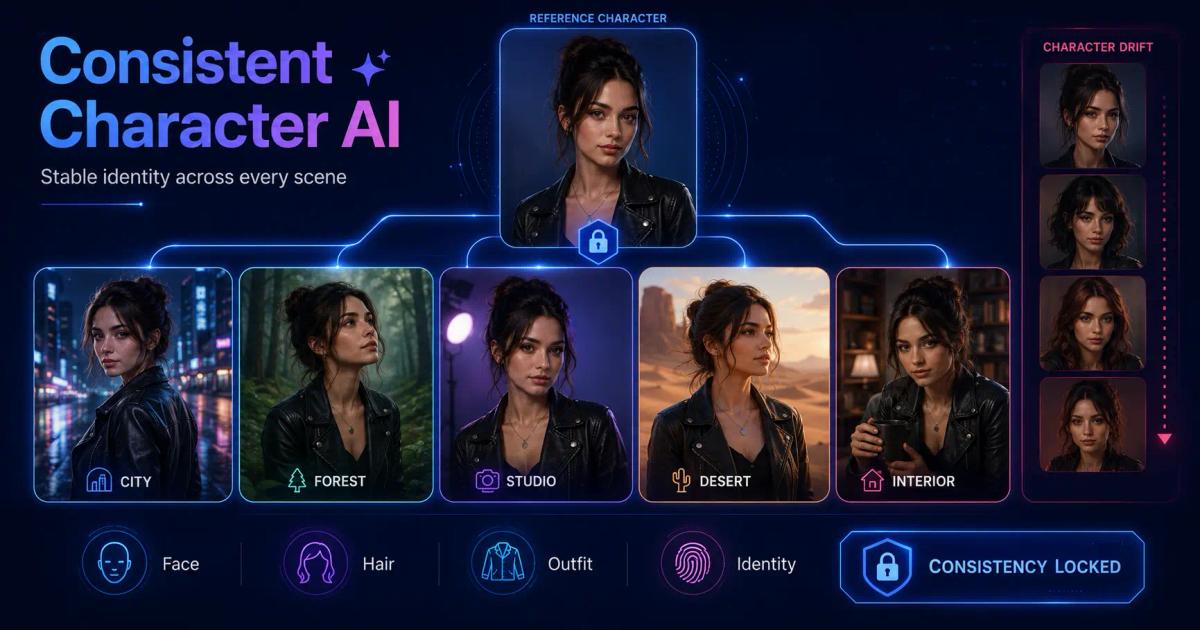
Most generative systems create each image or clip as a new prediction. Even with the same prompt, the model may interpret “young woman with short black hair” differently every time.
The result is character drift: small changes that accumulate until the person in scene six no longer feels like the person introduced in scene one.
Character consistency AI matters because viewers spot continuity errors immediately. A changing face makes an AI story feel cheap. A changing product weakens a commercial. A changing mascot makes brand recall harder.
A consistent character is not one perfect image. It is a stable identity that survives an entire sequence.
AI character consistency breaks because every scene introduces new variables. The model must preserve identity while also interpreting new actions, environments, framing, lighting, and emotional cues.
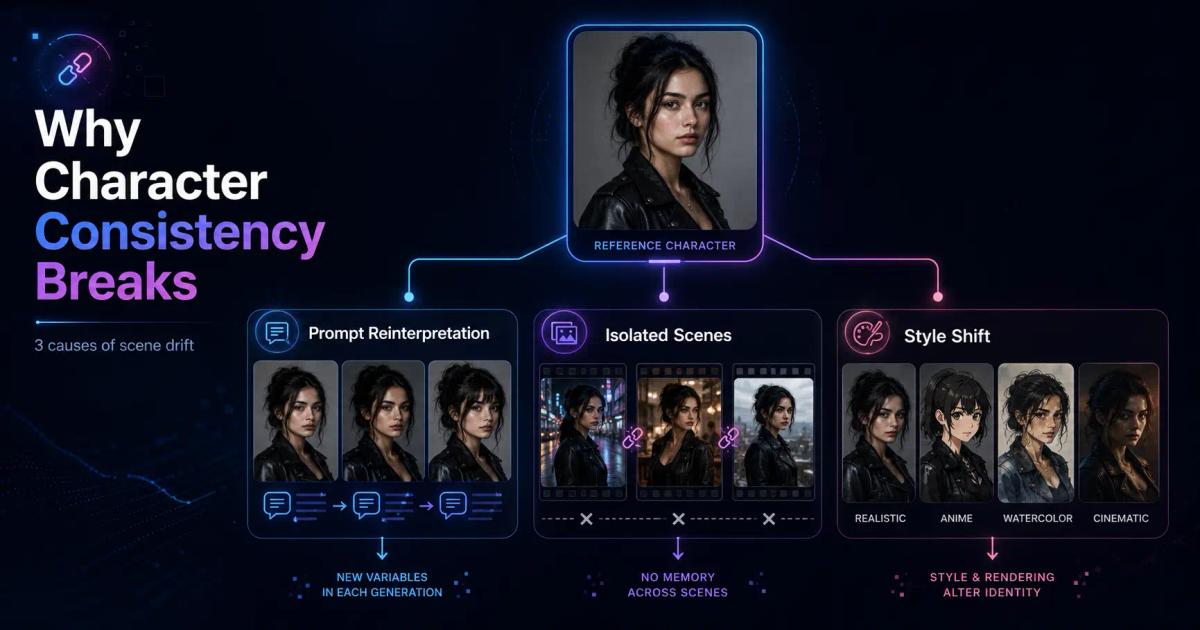
Three issues cause most failures.
Two people can both match “middle-aged detective in a brown coat” while looking completely different.
Longer prompts help, but a written description still does not create a fixed visual identity. Eye color, clothing, hairstyle, and age can narrow the output without fully locking the character.
A direct model workflow may treat scene three as if scenes one and two never existed. The creator must repeatedly upload references, copy descriptions, and restate the visual language.
A ten-scene video creates ten opportunities for the face, costume, or art direction to drift.
A character can look stable in a realistic portrait but change when moved into anime, watercolor, comic, clay, or cinematic lighting.
Style affects facial geometry, texture, proportions, and the amount of detail the model preserves. Character consistency and visual style need to be managed together.
Frameloop maintains the same character across scenes by connecting a reusable character reference to the wider project. Character identity, script context, and visual direction remain part of one workflow instead of being rebuilt for every shot.
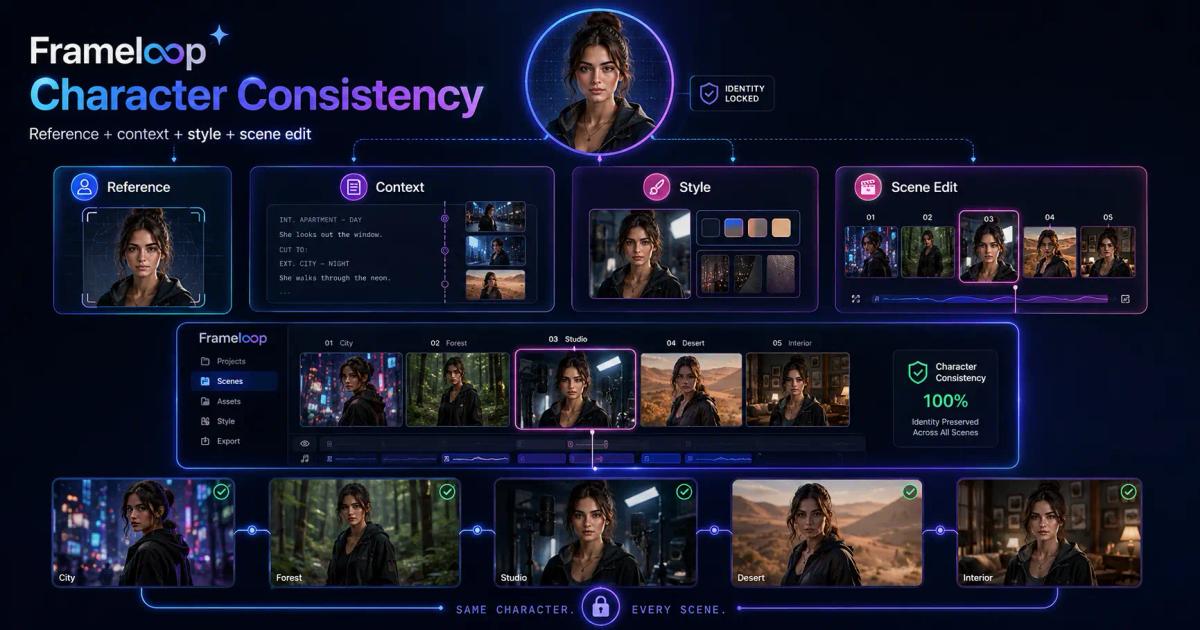
The process has four layers.
A strong reference image establishes facial features, hairstyle, clothing, color palette, and overall identity more clearly than text alone.
Frameloop lets creators use recurring characters inside an AI-generated project rather than treating every scene as a disconnected prompt. This reference-to-video approach reduces repeated prompting across multi-scene production.
Reference quality still matters. Use a clear image with a visible face, clean lighting, and limited background clutter. Avoid images where the character is tiny, obscured, or shown at an extreme angle.
A character does not exist separately from the story.
Frameloop uses the wider script and scene context when generating visuals and animation. The system can account for whether the character is entering a room, reacting to news, running through a city, or speaking to another person.
Consistency is not only about appearance. The action, location, emotional state, and relationship to nearby objects should also make sense from one scene to the next.
Frameloop lets creators define the art direction through its visual style options. A stable style gives clearer boundaries for lighting, texture, color, framing, and realism.
For a cartoon story, keep the same illustration language. For a cinematic ad, keep the same lighting and color treatment. For children’s animation, keep facial simplification and proportions stable.
Creators can also use the AI cartoon generator to build a recognizable visual world around recurring characters.
No AI consistent character generator is perfect every time.
The important question is what happens when one scene fails. In many workflows, the creator must regenerate the entire sequence or move into another editor. That can waste credits and introduce new inconsistencies.
Frameloop’s scene-based editor lets creators review and refine individual scenes. A weak image or incorrect visual can be replaced without sacrificing scenes that already work.
Character consistency improves when generation and correction happen in the same workflow.
The best reference-to-video workflow starts with identity, then adds story, style, and review.
Choose one clean reference. Use a front-facing or three-quarter image with a clear face.
Define fixed details. Note hairstyle, outfit, age range, accessories, and features that must not change.
Write the complete story first. Give the system enough context to understand the character’s role.
Select one visual style. Avoid switching between realistic, anime, and illustration unless the change is intentional.
Generate the scene breakdown. Check whether the sequence follows logically.
Inspect major transitions. Pay attention when location, clothing, angle, or lighting changes.
Correct only the outlier. Keep strong shots and replace the scene that drifted.
This process works especially well for AI-generated stories, where one protagonist must stay recognizable through the full narrative.
Creators building short-form narratives can also follow Frameloop’s guide to creating viral AI-generated story shorts to connect character continuity with hooks, pacing, and storytelling.
The best consistent character AI for video does more than reproduce a face. It preserves identity while allowing movement, emotion, new environments, and changing shot composition.
Creators searching for a consistent character video AI or an AI video generator with consistent character support are usually looking for the same thing: continuity across a complete sequence, not one impressive frame.
A consistent character AI video generator should offer:
Direct model tools such as Sora, Veo, Runway, and Leonardo can produce strong individual visuals. But multi-scene production often still requires reference management, repeated prompts, review, and editing.
Frameloop is designed around that workflow layer. Its AI video creation features combine generation with scene-level control, which matters when continuity is more important than creating one isolated clip.
The honest standard is not “Does the character ever drift?” Every generative system can produce a weak scene.
The better question is: How quickly can you identify and fix the inconsistency without damaging the rest of the video?
Consistent AI characters matter wherever viewers need to follow the same person, mascot, or product through several scenes.
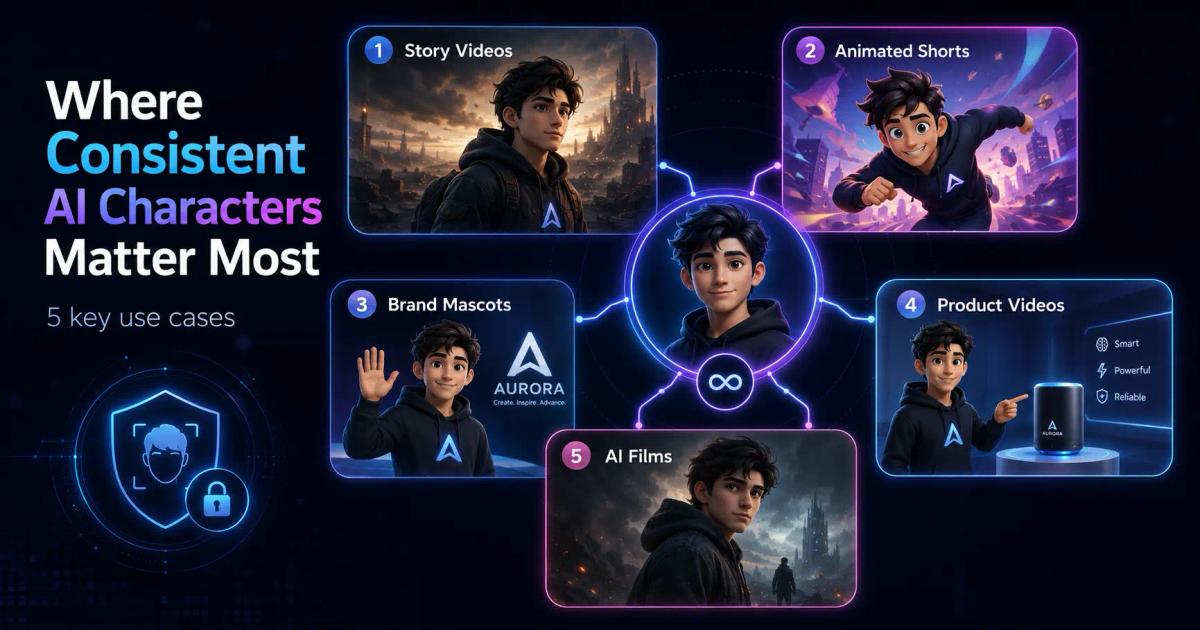
Story videos depend on recognition. The audience needs to know who is speaking, who changed, and who the emotional payoff belongs to.
Recurring characters are the foundation of episodic content. A stable design makes the character easier to remember and gives the channel a recognizable identity.
A recurring mascot should look like the same brand asset in every campaign, not a loose interpretation produced by a new prompt.
Product consistency matters as much as character consistency. Packaging, shape, logo placement, and color should remain stable throughout the commercial.
AI filmmakers need continuity across close-ups, wide shots, dialogue, action, and environmental changes. Consistent characters make a concept feel directed rather than assembled.
For creators building narrative videos, AI character consistency is often the difference between a sequence that feels intentional and one that feels randomly generated.
Consistent character AI is not solved by one magical sentence.
It comes from combining a strong reference, complete story context, stable visual direction, and a practical correction loop. The more scenes you generate, the more important that system becomes.
Frameloop is built for creators who want AI speed without surrendering control. You can create a character-led story, maintain visual identity across scenes, and refine the moments that do not match.
That is the difference between generating a collection of clips and directing a coherent video.

Got great video ideas but need help bringing them to life? Frameloop AI makes it easy to create professional faceless videos with AI-generated visuals, voiceovers, and editing.
Try Frameloop AI For Free