
Avinash Vagh
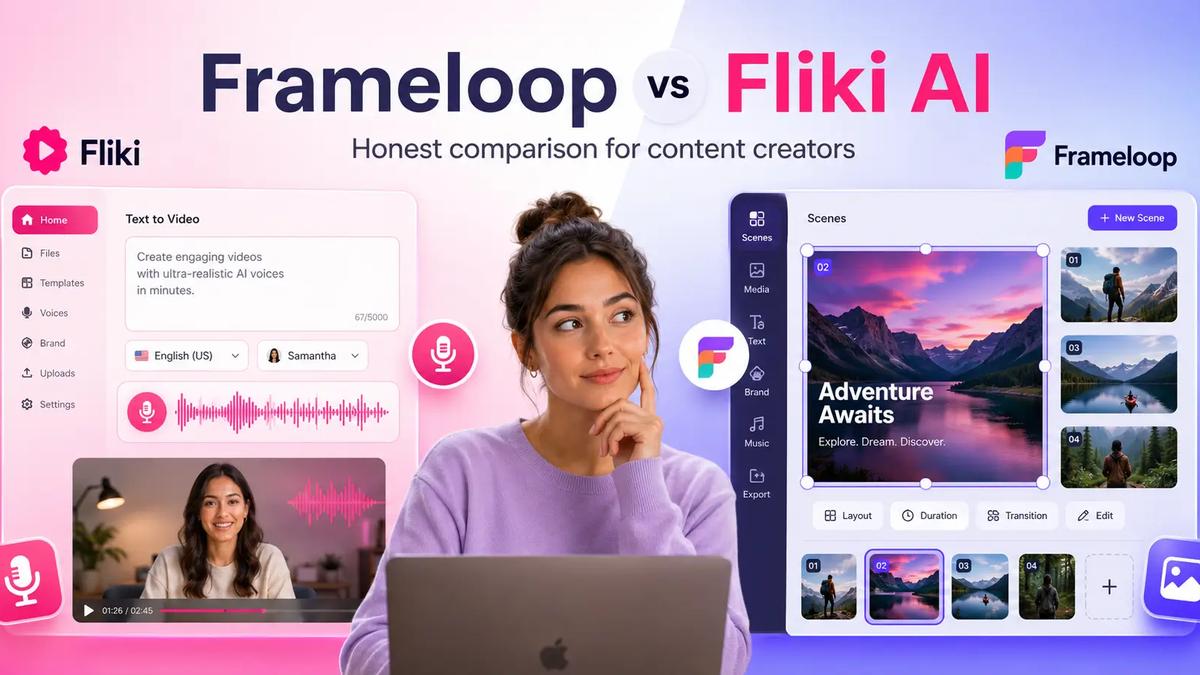
Choosing between Frameloop and Fliki isn't really a question of which platform is better. It's a question of what kind of creator you are.
If your videos live and die by narration quality, language support, and voice cloning, Fliki has one of the strongest voice libraries in the AI video market.
If your workflow revolves around editing, testing hooks, maintaining character consistency, and producing large volumes of faceless content, Frameloop offers a very different approach built around scene-level control.
That's an important distinction because AI video generation is no longer the novelty it was a few years ago. According to Grand View Research, the AI video generation market is expected to grow from approximately $788 million in 2025 to more than $3.4 billion by 2033. The challenge is no longer generating a video. The challenge is generating videos efficiently, repeatedly, and at scale.
This comparison looks beyond marketing claims and focuses on what creators actually care about:
By the end, you'll know exactly which platform fits your workflow.
If you only want the short answer, here it is.
| Category | Winner |
|---|---|
| AI Voice Variety | Fliki |
| Voice Cloning | Fliki |
| Language Support | Fliki |
| Blog-to-Video | Fliki |
| Podcast-to-Video | Fliki |
| Scene Editing | Frameloop |
| Character Consistency | Frameloop |
| Faceless YouTube Channels | Frameloop |
| AI Storytelling Videos | Frameloop |
| Hook Testing & Iteration | Frameloop |
| Free Plan Usability | Frameloop |
| Commercial Use on Free Plan | Frameloop |
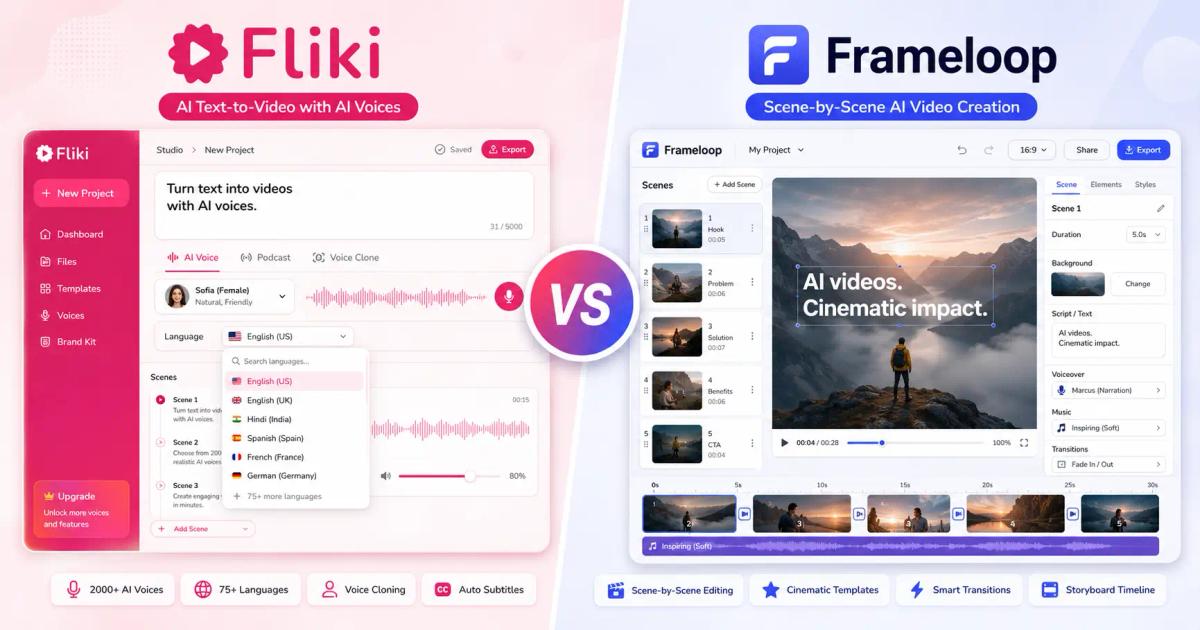
Fliki is stronger for voice-first content.
Frameloop is stronger for creators who care about visual control and scalable production workflows.
Fliki is a text-to-video platform best known for its AI voice technology.
The platform maintains a strong reputation among creators and marketers, holding a 4.7/5 rating across hundreds of verified user reviews on G2.
The platform allows users to transform:
into narrated videos using AI voices.
Voice is the core product.
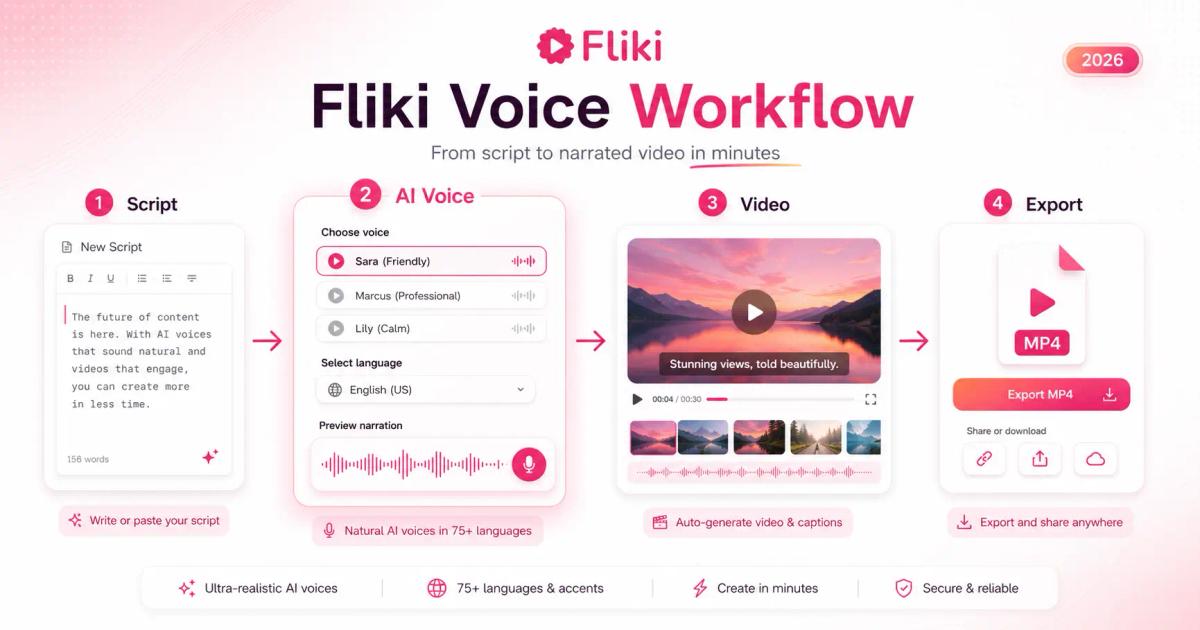
Instead of focusing on advanced video editing, Fliki focuses on making narration sound natural across dozens of languages and dialects.
According to Fliki, the platform provides access to more than 2,000 AI voices across 80+ languages and regional accents. For multilingual creators, that breadth is difficult to match.
A typical Fliki workflow looks like this:
Paste a script.
Choose an AI voice.
Select visuals.
Generate the video.
Export.
For educational content, explainer videos, training materials, and narrated social content, that workflow is fast and effective.
Most users who switch away from Fliki aren't unhappy with the voices.
They're unhappy with the editing process.
Frameloop approaches AI video creation differently.
Instead of starting with voices, it starts with scenes.
Every generated video is broken into independent scenes that can be edited individually.
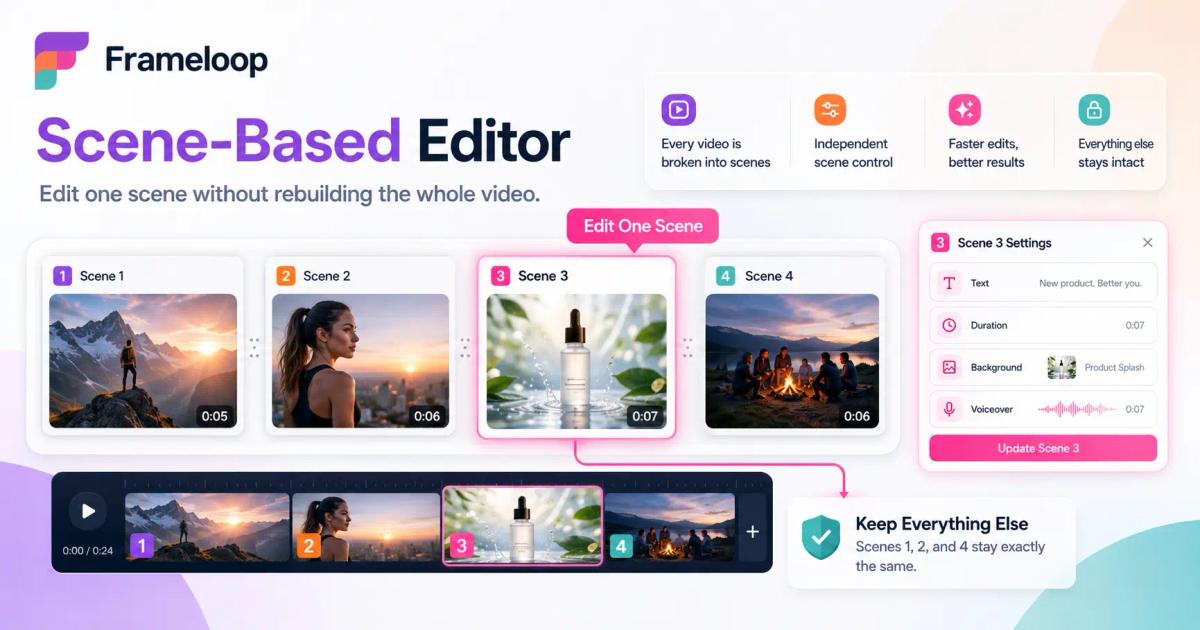
That may sound like a small difference, but it fundamentally changes how creators work.
Imagine you create a 10-scene video.
After reviewing the final result, you decide:
With most AI video tools, those changes often trigger broader regenerations.
With Frameloop, those scenes can be modified individually while leaving the rest of the video untouched.
For creators publishing multiple videos every week, that workflow becomes significantly more efficient over time.
No comparison is complete without acknowledging trade-offs.
Compared to Fliki:
If voice variety is your top priority, Fliki currently offers more options.
This is where most comparison articles fail.
They focus on features instead of outcomes.
Creators don't buy features.
They buy results.
Fliki videos are designed around narration.
The platform pairs AI voices with stock footage, images, transitions, captions, and basic motion effects.
The result is clean and professional.
But it often looks similar to other AI-generated videos.
This isn't necessarily a problem for:
However, creators producing entertainment content often find the visuals limiting.
Frameloop's strength is visual storytelling.
Instead of relying heavily on stock footage, creators can build videos scene by scene, adjusting visual direction throughout the project.
This is especially valuable for:
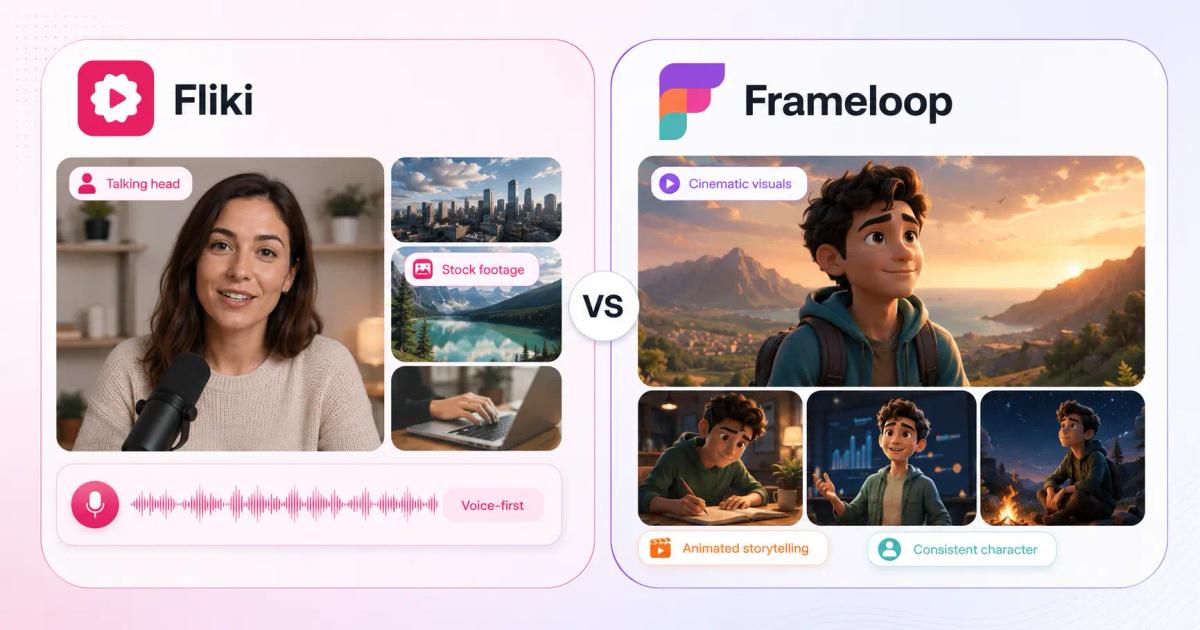
The difference becomes more obvious as videos become more complex.
For simple narration-heavy content, Fliki performs extremely well.
For story-driven content, Frameloop offers more creative flexibility.
This category goes to Fliki.
And it's not particularly close.
Voice is Fliki's competitive advantage.
With more than 2,000 voices across 80+ languages, the platform offers one of the largest voice libraries available to creators today.
Voice cloning further extends that advantage.
For creators producing multilingual content, educational content, or voice-centric videos, Fliki is difficult to beat.
Frameloop supports 32+ languages and delivers solid narration quality, but voice breadth isn't currently the company's primary focus.
If your decision is based solely on voice quality and language availability, Fliki wins.
The more interesting question is whether voice quality is actually the bottleneck in your workflow.
For many creators, it isn't.
Editing speed is.
Generating a video is only part of the job.
The real time sink happens after generation.
You review the output and discover:
This is where Frameloop and Fliki diverge significantly.
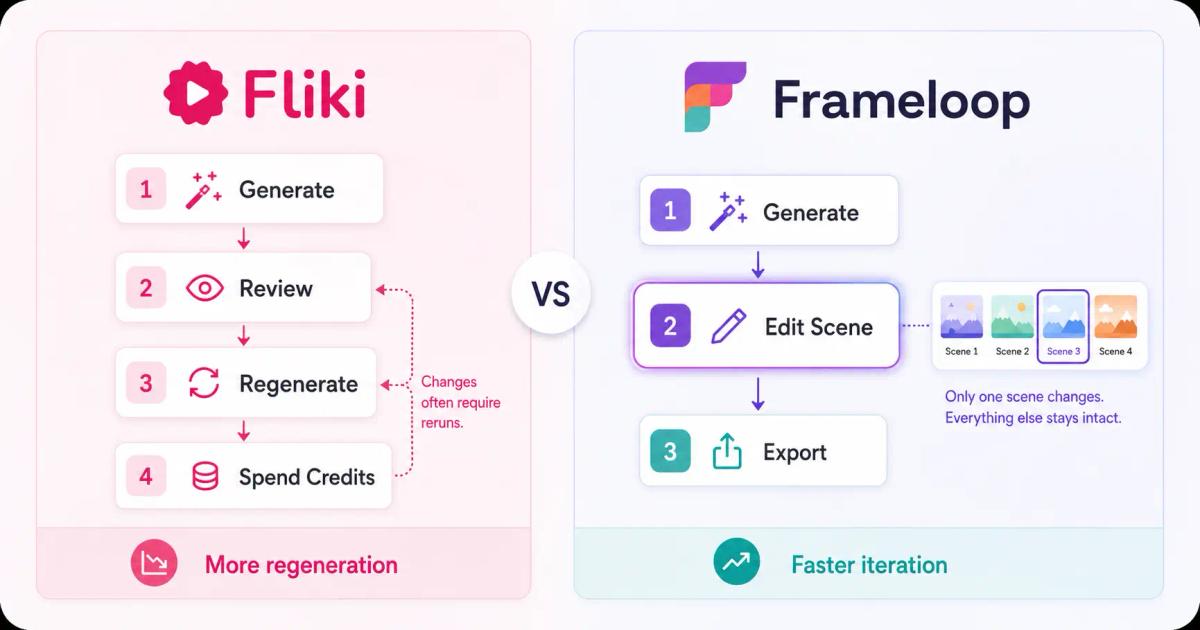
Fliki follows a traditional linear workflow.
You generate the video, review it, then make adjustments inside the timeline.
For straightforward projects, this works well.
However, when you're producing content at scale, small revisions can become repetitive.
Many Fliki users report that the biggest challenge isn't generation speed. It's the number of iterations required to get a video exactly right.
That's particularly noticeable for:
where tiny changes can dramatically impact performance.
Frameloop's workflow is built around independent scenes.
Instead of treating the video as a single connected asset, each scene remains editable on its own.
This enables creators to:
For creators publishing one video per week, this may not matter much.
For creators publishing daily, it matters a lot.
Imagine you're running a faceless history channel.
Your first upload gets:
You decide to test a stronger opening.
With a scene-based workflow:
Now you have a true A/B test.
That's difficult to achieve efficiently in most AI video workflows.
Most pricing pages hide the real question:
"How much does one finished video actually cost me?"
Creators don't buy credits.
They buy videos.
Here's a simplified comparison based on typical creator workflows.
| Scenario | Fliki | Frameloop |
|---|---|---|
| 30-second Short | Similar | Similar |
| 60-second Short | Similar | Similar |
| Multiple revisions | Higher | Lower |
| Hook testing | Higher | Lower |
| Visual experimentation | Higher | Lower |
| Large-scale production | Higher | Lower |
Why?
Because revisions have a cost.
The more often you regenerate content, the more credits you consume.
A creator publishing 30 videos per month typically spends more time editing than generating.
This is where scene-level workflows begin to compound.
The gap isn't visible on Day 1.
It's visible after 100 videos.
Pricing changes frequently, so always verify the latest plans directly on Fliki's pricing page before making a decision.
At the time of writing:
| Plan | Frameloop | Fliki |
|---|---|---|
| Free | Yes | Yes |
| Watermark on Free Plan | Yes | Yes |
| Commercial Rights on Free Plan | Yes | No |
| Entry Plan | $19/month | $21/month (annual billing) |
| Mid-Tier Plan | $39/month | $66/month |
| Premium Plan | $79/month | Custom Enterprise |
The entry-level pricing is relatively close.
Before choosing either platform, compare the latest credits, export limits, and plan differences on Frameloop's pricing page.
The biggest difference is the free plan experience.
You can test the platform.
However:
You can:
Without adding a credit card.
For creators evaluating multiple platforms, that makes experimentation easier.
This depends entirely on the type of Shorts you're creating.
Voice quality drives performance in these formats.
Visual storytelling matters more than voice variety in these niches.
For YouTube Shorts specifically, editing speed becomes increasingly important because creators often publish daily.
That makes scene-level workflows particularly useful.
Here's the simplest way to think about the comparison.
| Use Case | Winner |
|---|---|
| Blog-to-Video | Fliki |
| Podcast-to-Video | Fliki |
| Voice Cloning | Fliki |
| Multilingual Content | Fliki |
| Educational Narration | Fliki |
| Corporate Training Videos | Fliki |
| Faceless YouTube Channels | Frameloop |
| AI Storytelling Videos | Frameloop |
| AI Music Videos | Frameloop |
| Character Consistency | Frameloop |
| Hook Testing | Frameloop |
| YouTube Shorts Production | Frameloop |
| Ad Creative Production | Frameloop |
| Watermark-Free Free Plan | Frameloop |
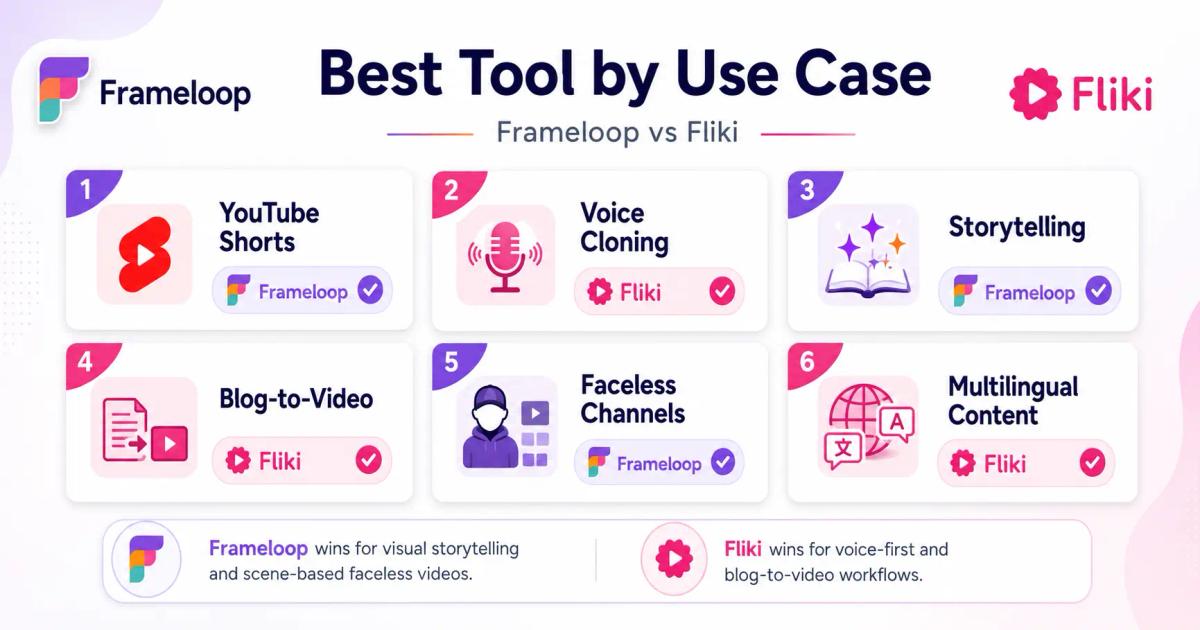
This table alone will answer the question for most creators.
Choose Fliki if:
Fliki's voice infrastructure remains one of the strongest in the industry.
If narration is the star of your content, Fliki deserves serious consideration.
Choose Frameloop if:
Frameloop was designed for creators who want AI to accelerate production without removing creative control. Its scene-based editor, cinematic workflows, and support for faceless content make it particularly attractive to creators focused on growth and monetization.
Fliki is one of the best voice-first AI video platforms available today.
Its strengths are obvious:
If narration quality is the deciding factor, Fliki is the better choice.
Frameloop solves a different problem.
Instead of maximizing voice variety, it focuses on production efficiency and creative control.
Its strengths become obvious when you're:
For most YouTube creators, visual control impacts performance more often than voice selection.
That's why many creators searching for a Fliki alternative ultimately land on Frameloop.
Not because Fliki is bad.
Because their workflow requires more than a great voice.
It requires control.
If your goal is narration-first content, choose Fliki.
If your goal is building and scaling a faceless content business, Frameloop is the stronger choice.
You can try Frameloop free and experience the scene-based workflow before committing to a paid plan.

Got great video ideas but need help bringing them to life? Frameloop AI makes it easy to create professional faceless videos with AI-generated visuals, voiceovers, and editing.
Try Frameloop AI For Free